Advance
Building a Real-Time Stage Plot Workspace Solo with AI-Assisted Code
- Role
- Solo Product Founder (End-to-End Discovery, UX/UI Design, AI-Augmented Full-Stack Engineering)
- Tech Stack
- Next.js, React, Zustand, Supabase, Prisma, Tailwind CSS, Radix UI (shadcn/ui)
- Workflow
- Cursor + Claude
- Status
- Shipped and deployed in private beta
The Problem
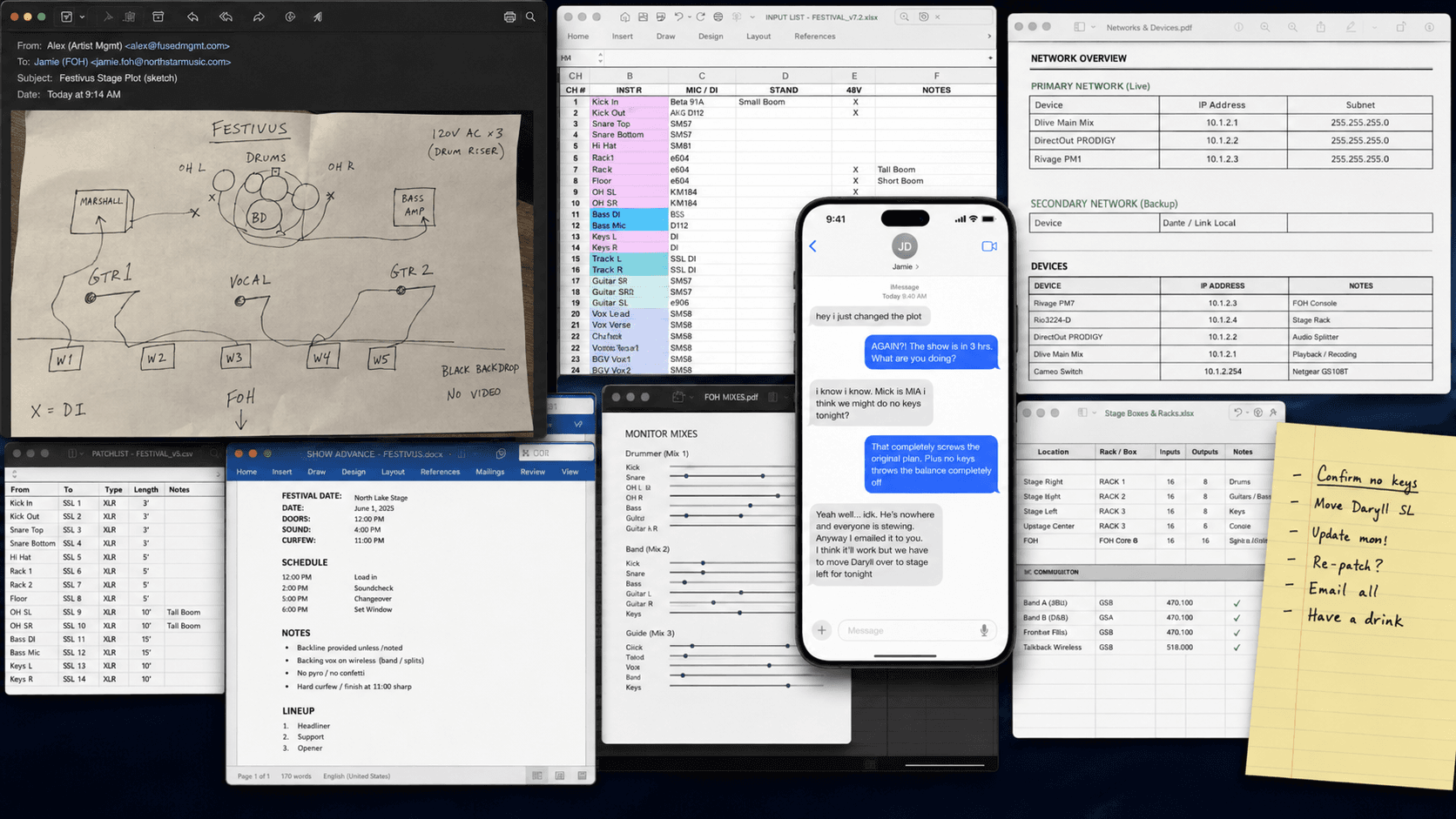
Live music crews require absolute technical alignment before a touring production hits a venue stage. In practice, this data can come from PDFs, spreadsheets, email threads, text messages, and hand-drawn templates.
- The Data Skew Risk: A stage layout may live in one graphic file, while input channels, microphone patches, and audio gear needs live in another.
- The Fragile Update Loop: When a setup inevitably shifts hours before soundcheck, multiple documents must be updated manually. A single missed edit results in miswired patches, lost time, and on-stage chaos.
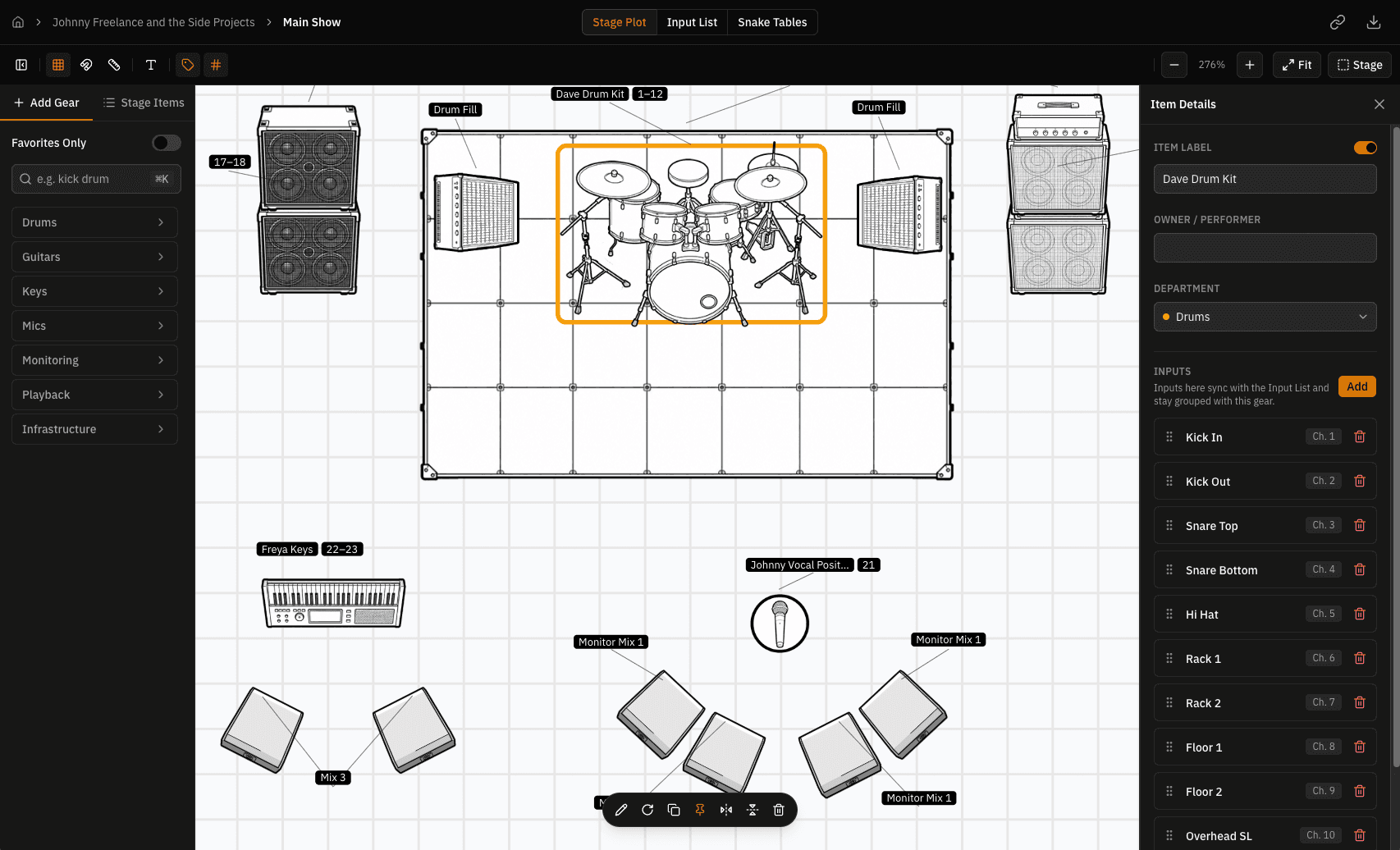
- The Goal: Create a real-time, responsive workspace where spatial stage plots and tabular channel lists are bi-directionally synchronized under a single source of truth.
The Hypothesis & Technical Leap
Operating with no existing domain knowledge, a zero-dollar budget, and no team, I ran a highly targeted discovery sprint to map the workflow.
Then, once I had a good understanding of what needed to be built, there was really only one problem: I had no idea how to build it.
A bit of a setback, I suppose. But it was a good opportunity to validate that age-old question:
Could I use AI development tools (Cursor & Claude) to build it myself, thus successfully translating a complex product vision into a production-ready, full-stack application?
I forked over about a pizza's worth of dollars to Anthropic and started building.
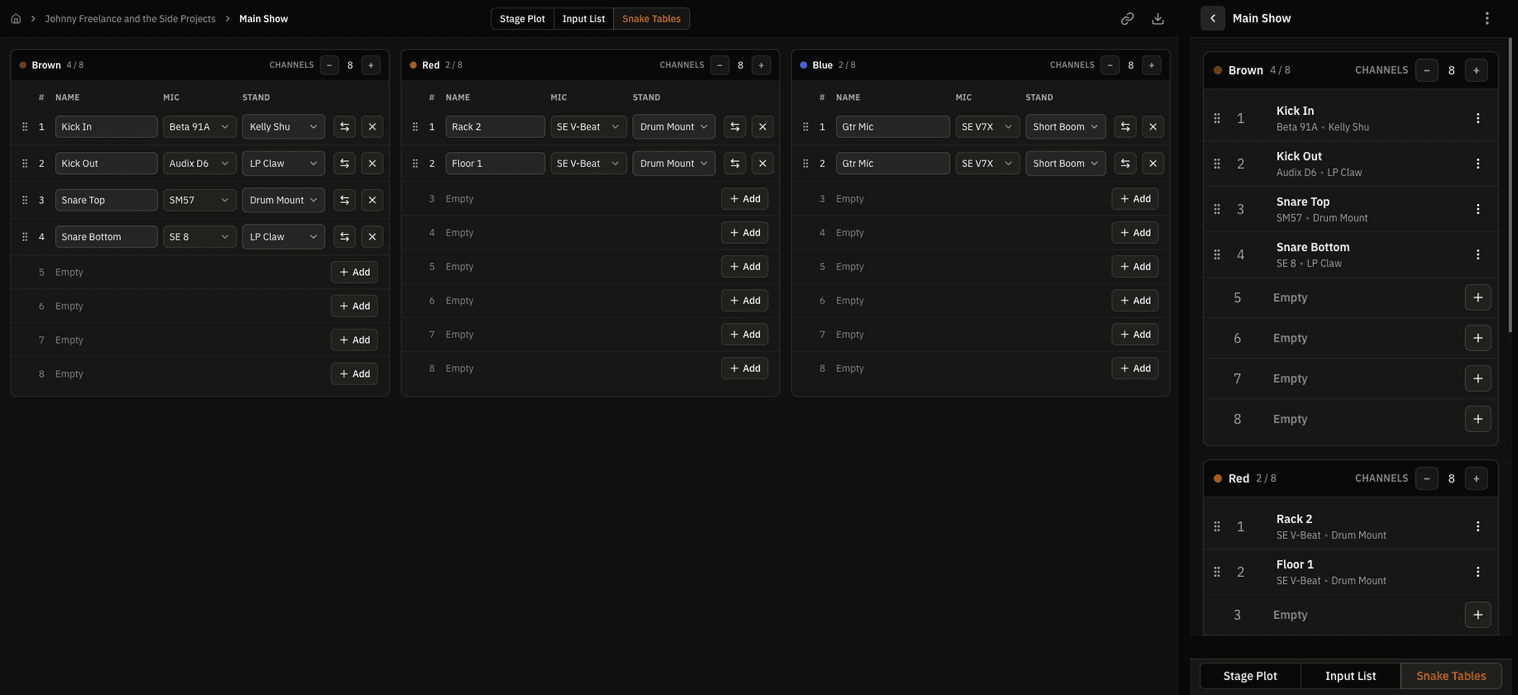
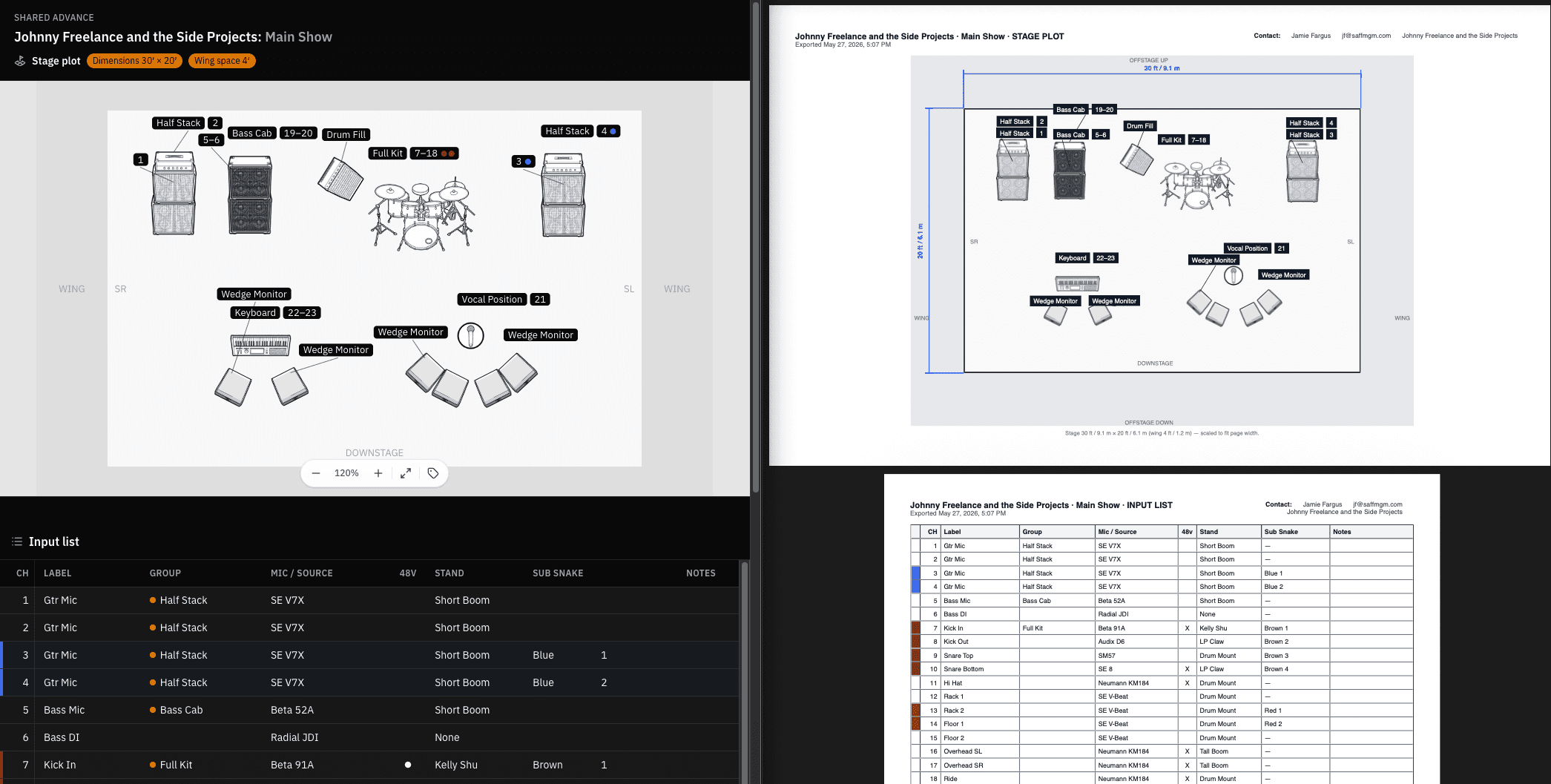
To keep the MVP focused, I scoped it down to the three most critical, interdependent live documents: the Stage Plot, the Input List, and the Snake Tables.
Architecture & Interaction Design
To bridge the gap between visual spatial design and rigid technical ledgers, I engineered a bi-directional relational layout system.
In less expensive words: "I made all the components talk to one another". The app treats every piece of audio gear not just as an image, but as a rich data model.
Building with AI
Because I was using an unfamiliar stack, my role shifted from manual coder to System Designer and UX Director. I defined the product logic, mapped the data schemas, and had Cursor generate the functional code framework:
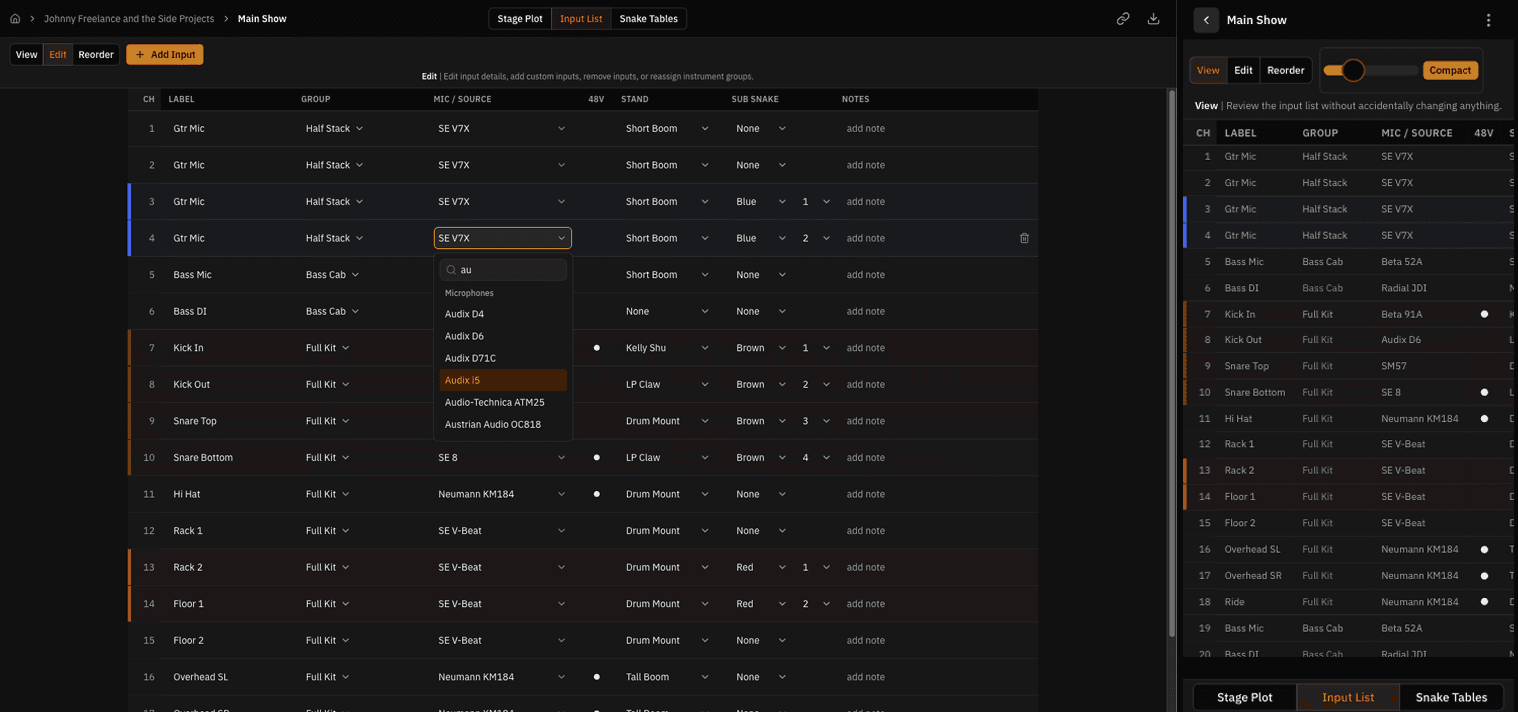
- The Synchronized Ledger: To eliminate duplicated work, the application syncs data states globally. If an engineer edits a channel number inside the Input List or swaps a microphone on the visual canvas, the app pushes those changes instantly across all matching views.
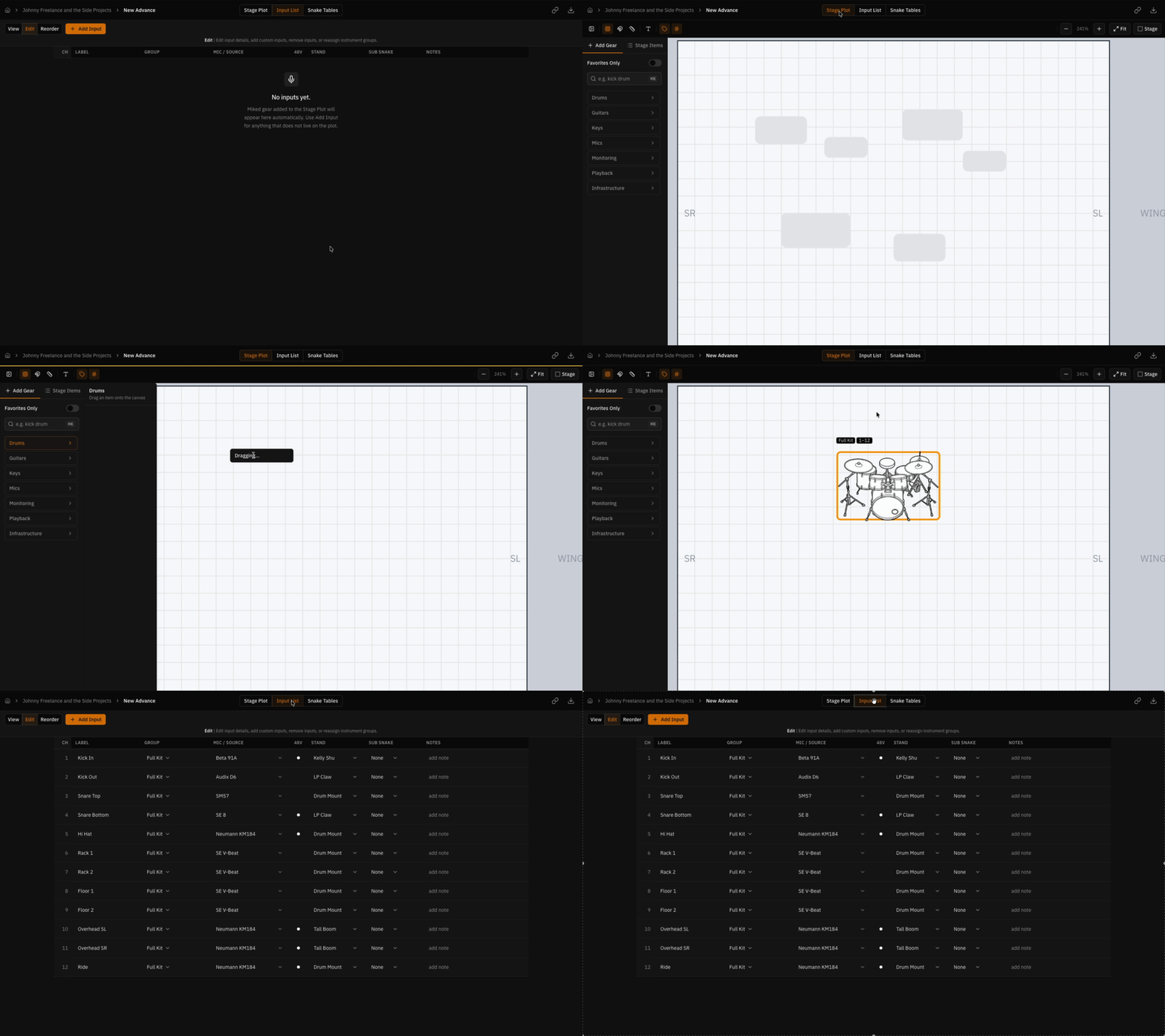
- Intelligent Asset Drag-and-Drop: I designed a curated stage gear library containing real-world gear footprints and default configurations. Dragging a drum kit onto the stage plot canvas automatically populates the Input List with common microphone profiles, stand selections, and sequential channel numbers.
- Engineering the Visual Canvas Layout: To build a highly performant, zero-overhead staging canvas, I bypassed heavy graphics libraries in favor of a native web stack:
- Positioning: Absolute CSS positioning tracked against a strict, relatively-positioned coordinate plane.
- Viewport Control: A centralized
css-transformlayer to handle hardware-accelerated global pan and zoom. - Node Manipulation: Isolated per-item CSS transforms managing asset rotation and horizontal flipping.
- State & Persistence: Zustand coordinates the lightning-fast active client editor states, while Prisma maps data mutations back to a Supabase backend.
Designing for the Field (Mobile Responsive Patterns)
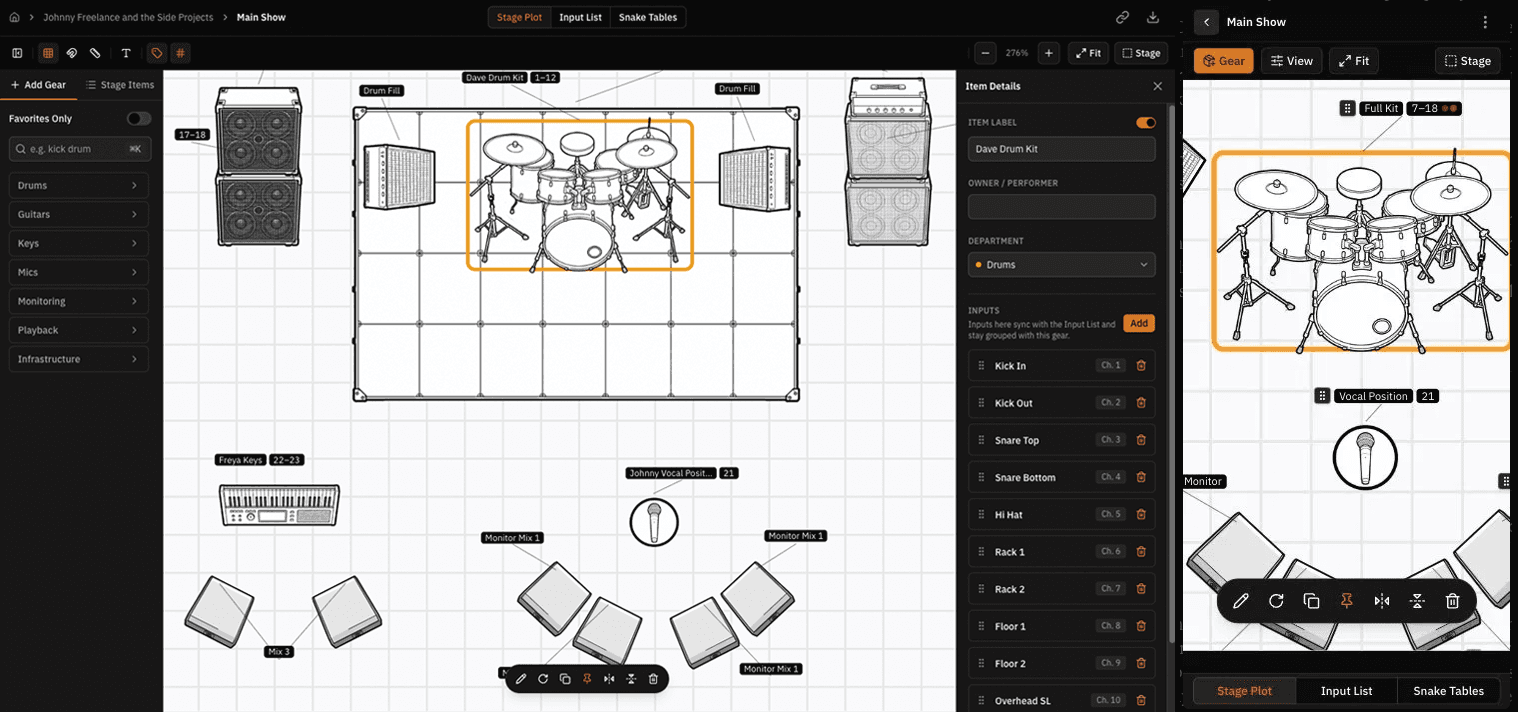
A technical tool is useless if it fails in the field. Live audio engineers must be able to verify information instantly on their phones while running cables. I systematically refactored our wide desktop views to support single-handed mobile data scanning.
The Outcome
Advance is officially deployed in private beta with a fully functional relational featureset.
By pairing core front-end literacy with AI-augmented engineering workflows, I collapsed what is traditionally a multi-month, multi-person engineering cycle down to a matter of weeks.
But for me, the takeaway goes far beyond learning a new domain. It's just how much I was able to accomplish with only user-research, a design background, a strong foundation in web fundamentals, and a clear vision of what I wanted to make.
More work
Dashboard System
B2B SaaS · Product Design
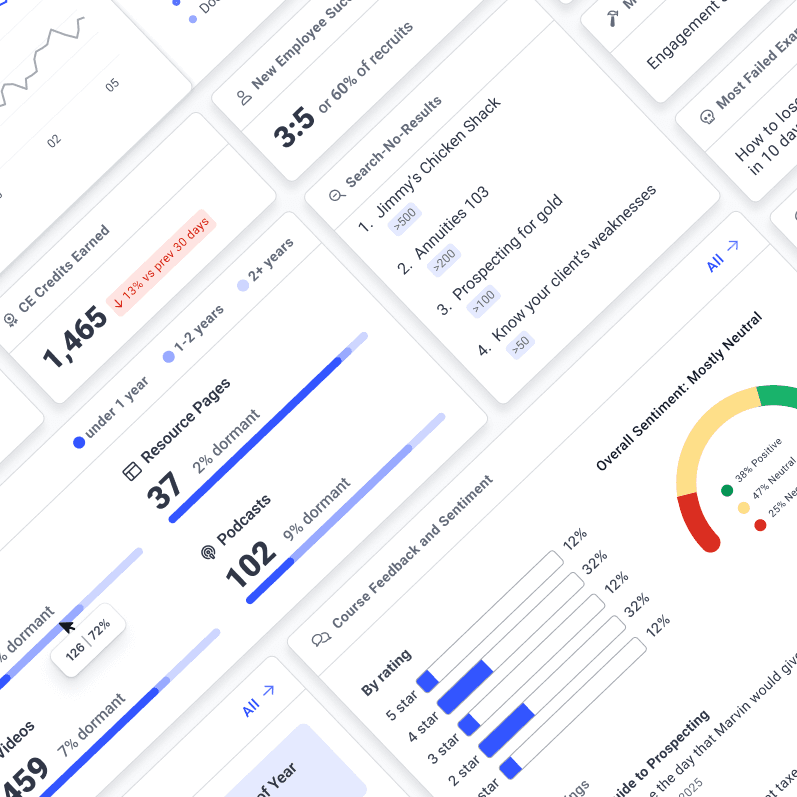
A 15-second homepage that showed every user the same layout. Independent widgets fixed speed and context in one architectural move. Still in active development four years later.
Page Builder
B2B SaaS · Product Design
Every resource page cost an engineering ticket. Reframing templates as reusable sections removed the bottleneck and turned a one-off service into a product line clients kept buying into.